> ## Documentation Index
> Fetch the complete documentation index at: https://docs.alex.com/llms.txt
> Use this file to discover all available pages before exploring further.
# Tracker
Connecting Alex with Tracker allows you to manage interview activities and view reports directly within your Tracker dashboard. The integration also automates the creation and updating of records in Tracker when a candidate completes an Alex interview, keeping your systems in sync.
### Set Up the Integration
Follow these steps to connect your Alex and Tracker accounts.
**1. Get Your Credentials**
You will need to gather two sets of credentials to enable all integration features.
* **API Credentials (V1):**
Contact Tracker Support to request an API user account for Alex. You can use the template below:
> *I'm working with a Developer partner, Alex, and would like to turn their integration on in my Tracker instance. Could you please create and share the following with me?*
>
> * *API Key*
> * *API Username*
> * *API Password*
* **API Access Token (V2):**
This token enables workflows for new job applicants.
1. In your Tracker dashboard, navigate to **Tools & Settings > Security > Security Settings > API**.
2. Obtain an API access token.
Once you have all credentials, enter them in Alex by going to **Settings > Integrations > Tracker**.
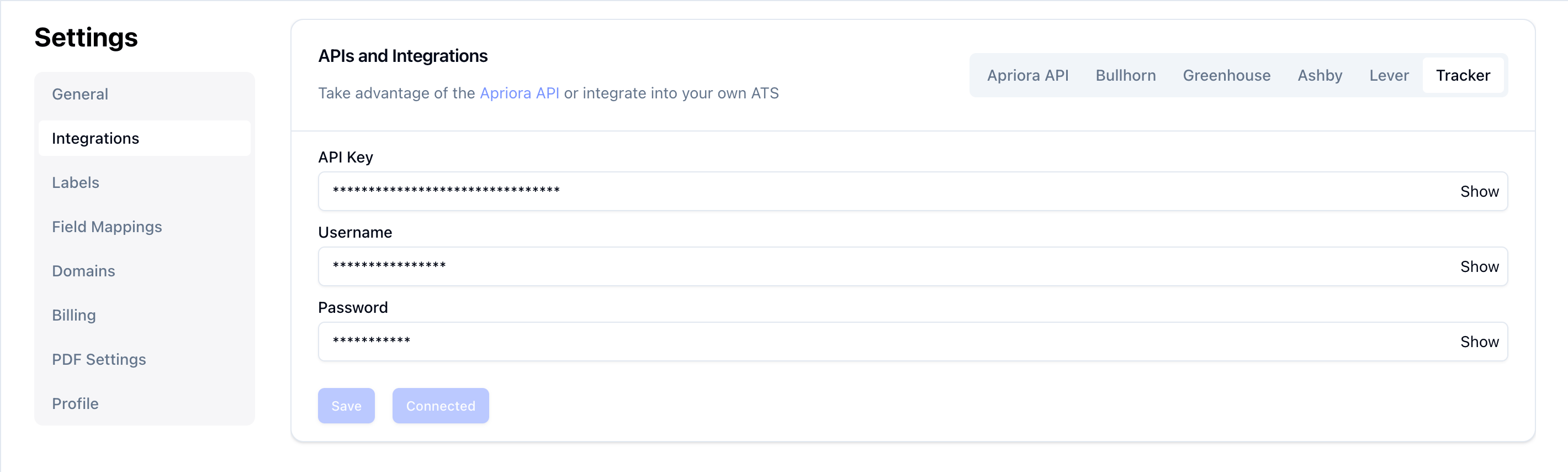 **2. Set Up a Custom Activity**
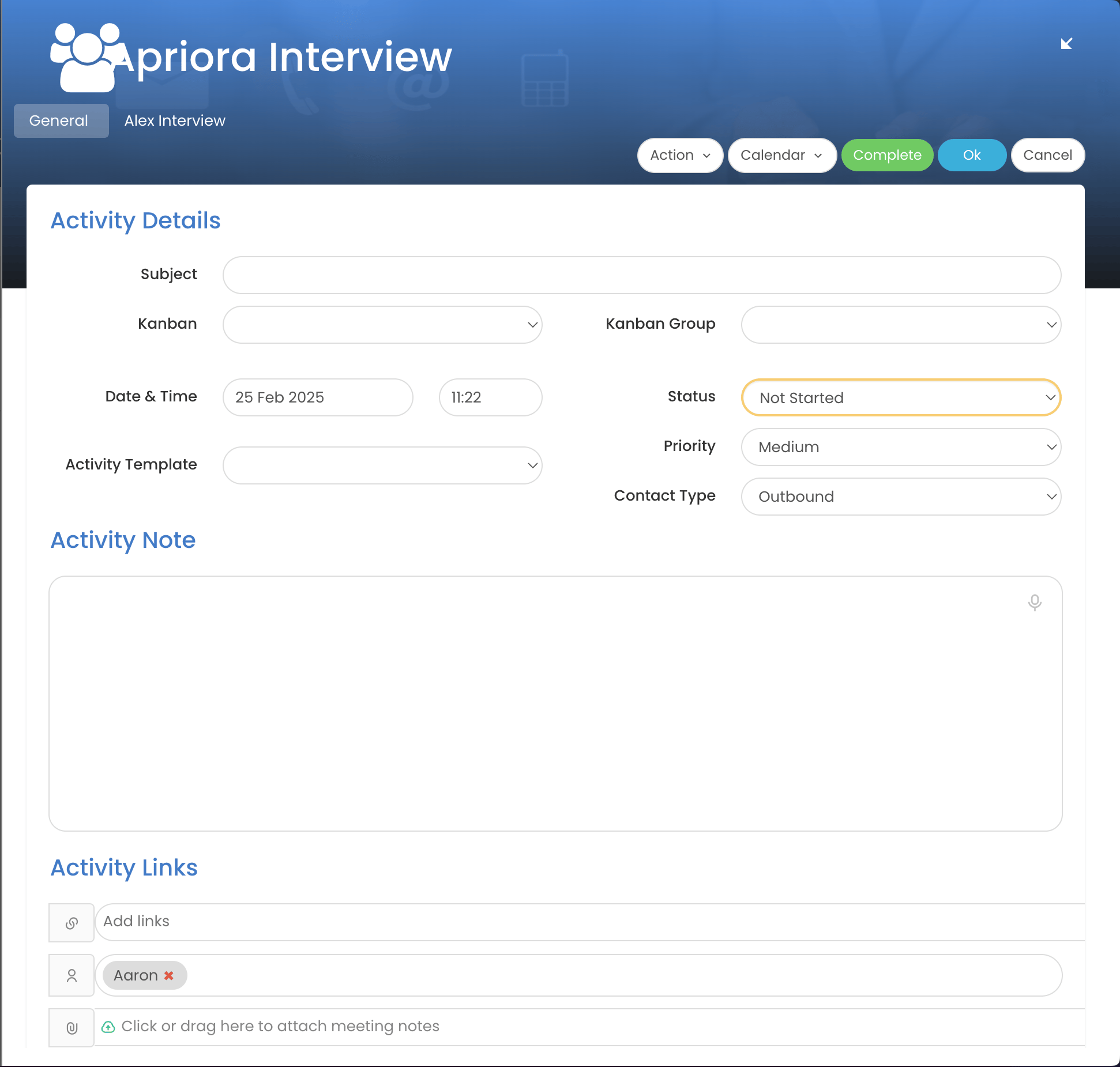
To display Alex interview data in Tracker, you need to configure a custom activity. Contact Tracker support with the following request:
> *Could you add a custom activity to our Tracker instance of type "Alex Interview"?*
>
> *Please also add the following custom fields and send us the ID for each field:*
>
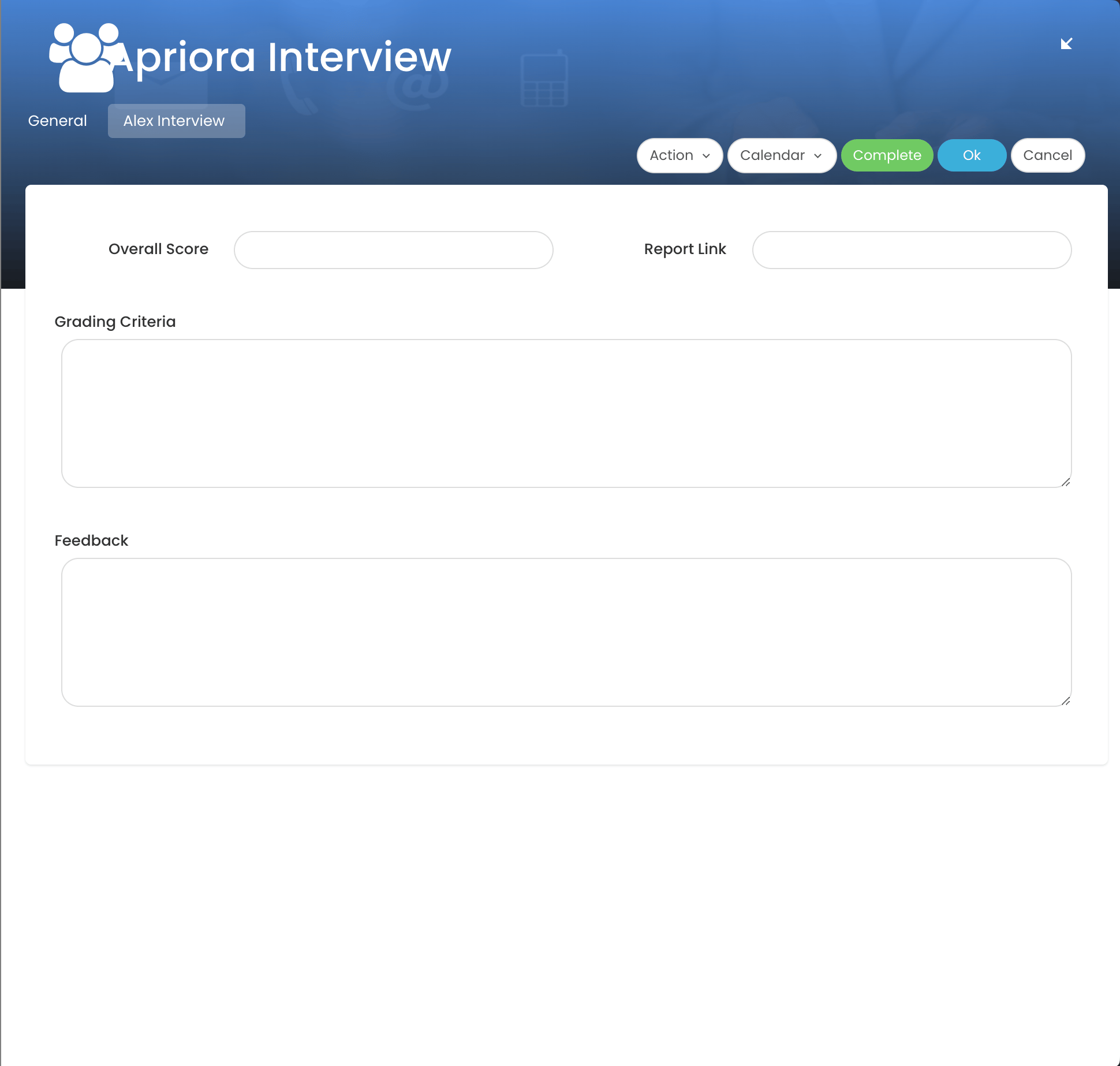
> * *Overall Score*
> * *Report link*
> * *Grading Criteria*
> * *Feedback*
After Tracker provides the Custom Field IDs, enter them on the ATS write-back action in the block that starts with the **Interview Completed** trigger, in your application workflow. This ensures that when an interview is finished, the results are correctly mapped and displayed in the new "Alex Interview" activity in Tracker.
In Tracker, you can view or create Activities in the home page, job, placement, or candidate pages. The Alex activity will be visible, and should look like this:
**2. Set Up a Custom Activity**
To display Alex interview data in Tracker, you need to configure a custom activity. Contact Tracker support with the following request:
> *Could you add a custom activity to our Tracker instance of type "Alex Interview"?*
>
> *Please also add the following custom fields and send us the ID for each field:*
>
> * *Overall Score*
> * *Report link*
> * *Grading Criteria*
> * *Feedback*
After Tracker provides the Custom Field IDs, enter them on the ATS write-back action in the block that starts with the **Interview Completed** trigger, in your application workflow. This ensures that when an interview is finished, the results are correctly mapped and displayed in the new "Alex Interview" activity in Tracker.
In Tracker, you can view or create Activities in the home page, job, placement, or candidate pages. The Alex activity will be visible, and should look like this:
 ### How the Integration Works
**Creating Interviews Manually**
You can create an Alex interview directly from a job in Tracker.
1. Navigate to the **Interviews** tab in Alex and click **Create**.
2. Select the interview type (Phone/Video).
3. Choose the **ATS** option.
4. Enter the **Tracker Job ID** and click **Generate**. An Alex interview will be created based on the job details from Tracker.
**Automations**
Automations help streamline your hiring process by reducing manual tasks.
* **Automatic Interview Creation:** You can configure Alex to automatically create a new interview whenever a job is added in Tracker. This is particularly useful for high-volume roles where speed is critical.
* **Automatic Candidate Invites:** Automatically send interview invitations to candidates based on their status in Tracker. There are two primary workflows for this:
* **From Placements (Shortlisted Candidates):** Invite candidates after they have been shortlisted for a job in Tracker.
* **From Applicants (New Applicants):** Invite candidates as soon as they apply for a job, allowing you to screen them before the shortlisting stage. This workflow requires the **API Access Token** to be configured. Alex checks for new applicants from Tracker every two hours.
### How the Integration Works
**Creating Interviews Manually**
You can create an Alex interview directly from a job in Tracker.
1. Navigate to the **Interviews** tab in Alex and click **Create**.
2. Select the interview type (Phone/Video).
3. Choose the **ATS** option.
4. Enter the **Tracker Job ID** and click **Generate**. An Alex interview will be created based on the job details from Tracker.
**Automations**
Automations help streamline your hiring process by reducing manual tasks.
* **Automatic Interview Creation:** You can configure Alex to automatically create a new interview whenever a job is added in Tracker. This is particularly useful for high-volume roles where speed is critical.
* **Automatic Candidate Invites:** Automatically send interview invitations to candidates based on their status in Tracker. There are two primary workflows for this:
* **From Placements (Shortlisted Candidates):** Invite candidates after they have been shortlisted for a job in Tracker.
* **From Applicants (New Applicants):** Invite candidates as soon as they apply for a job, allowing you to screen them before the shortlisting stage. This workflow requires the **API Access Token** to be configured. Alex checks for new applicants from Tracker every two hours.