

Uses
The main reason to connect your own domain with Alex is to help us send emails to your candidates on your behalf. This way, the emails will appear to come from your domain, rather than from Alex. This helps to maintain your brand identity and build trust with your candidates. The emails that we send on your behalf include:- Interview invitations
- Interview reminders
- Interview completion notifications
- Handoff invitations
Setting Up a Custom Domain
To set up a custom domain for your Alex account, follow these steps:- Log into your Alex dashboard.
- Go to Settings → Company → Domains.
- Click Add a Domain.
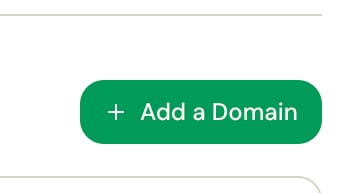
- Enter your domain name and click Add Domain.
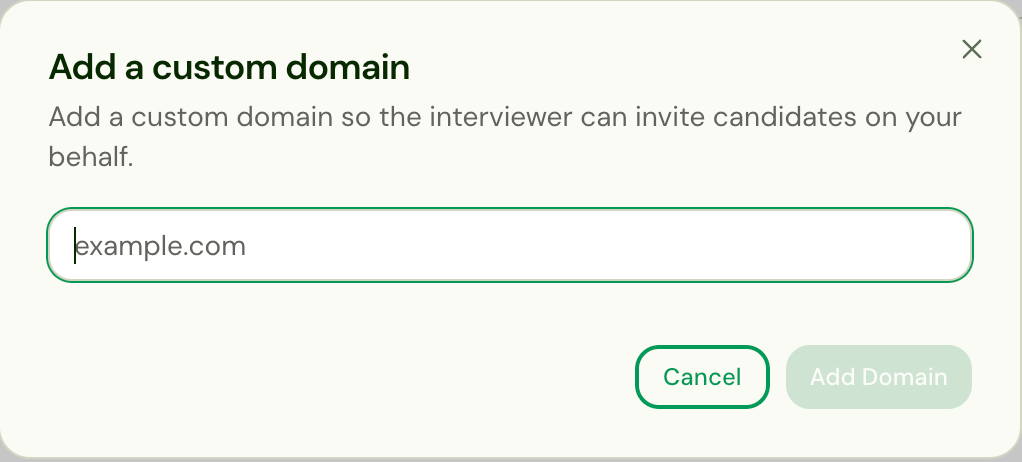
- The domain appears in the table. Click the ⋮ menu on that row and choose Verify.
- Copy over the
TXTandMXrecords to your domain’s DNS settings page.
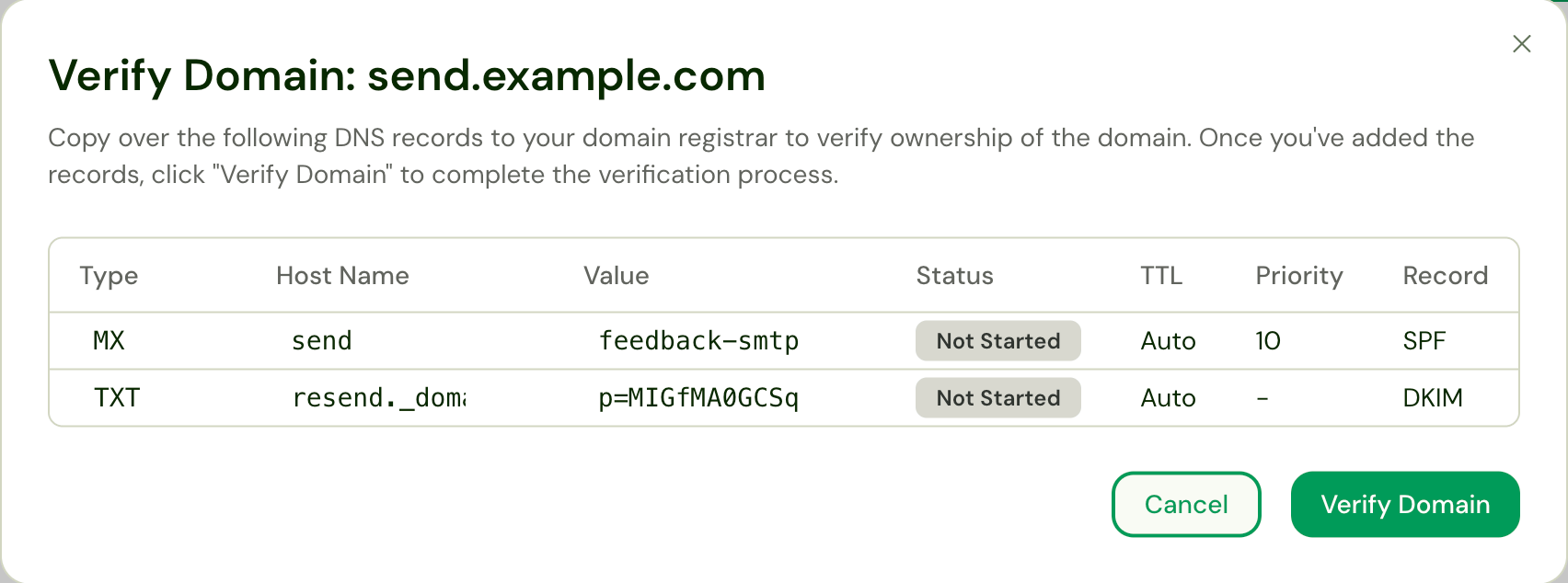
This step requires you to have access to your domain’s DNS settings. If you
are not sure how to access these settings, contact your company’s IT
department for assistance.
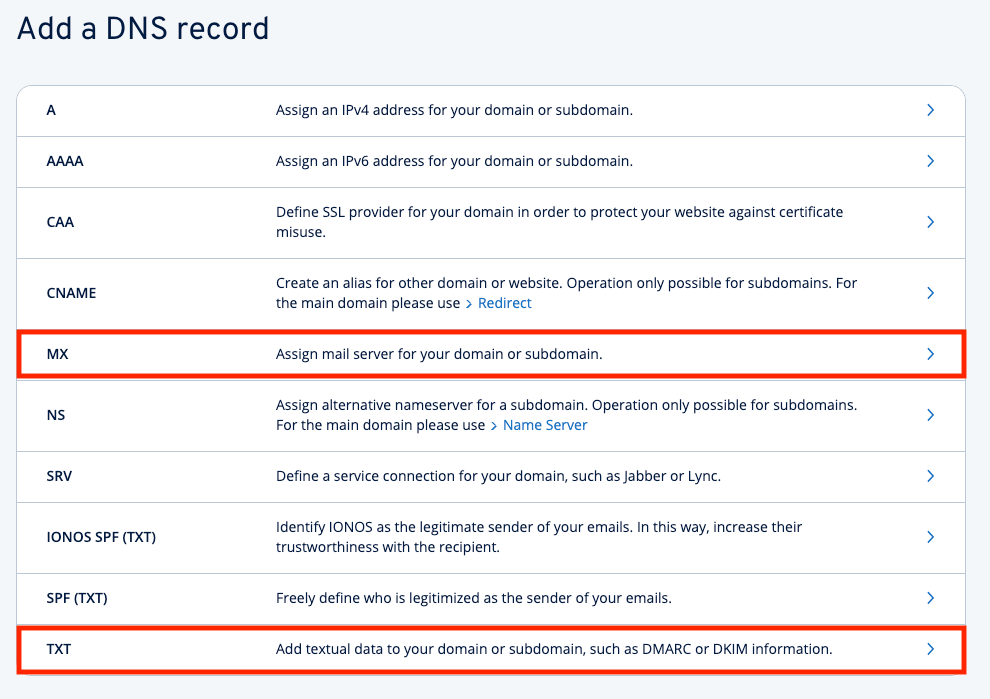
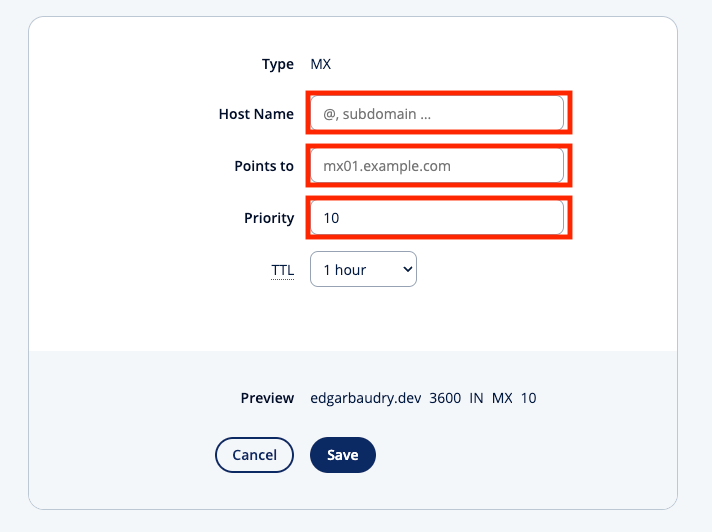
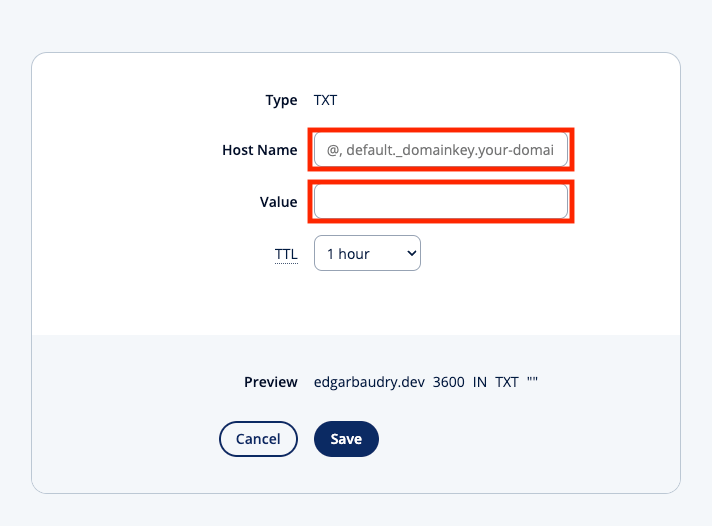
- Once you have added the records, click Verify Domain.
The verification process may take a few minutes to complete. You should see your
domain marked Verified or Failed. If it takes longer, please contact
our support team for assistance.If you see a Failed message, double-check the records you added to your DNS settings.If the issue persists, contact our support team for assistance.
If you have any questions or need assistance with setting up a custom domain,
please contact our support team at
support@alex.com.