

Triggers
Triggers are events that start a block. Every block must begin with exactly one trigger.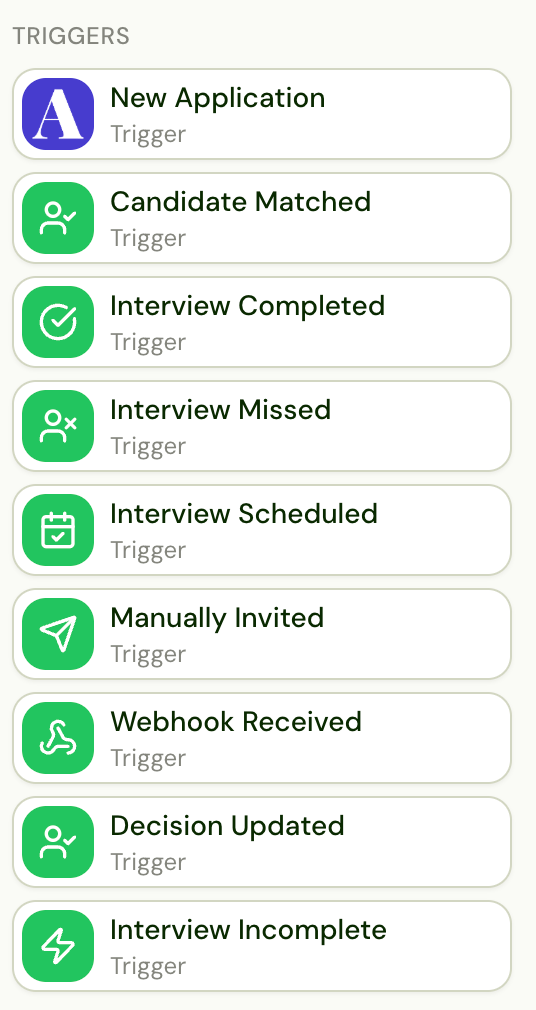
Application Workflow Triggers
Job Workflow Triggers
Depending on your ATS, you may also have ATS-specific triggers (e.g., candidate moved to a specific stage in Greenhouse, new submission in Bullhorn). These will appear automatically when your ATS is connected.
Actions
Actions are the steps Alex takes after a trigger fires. They run sequentially from top to bottom.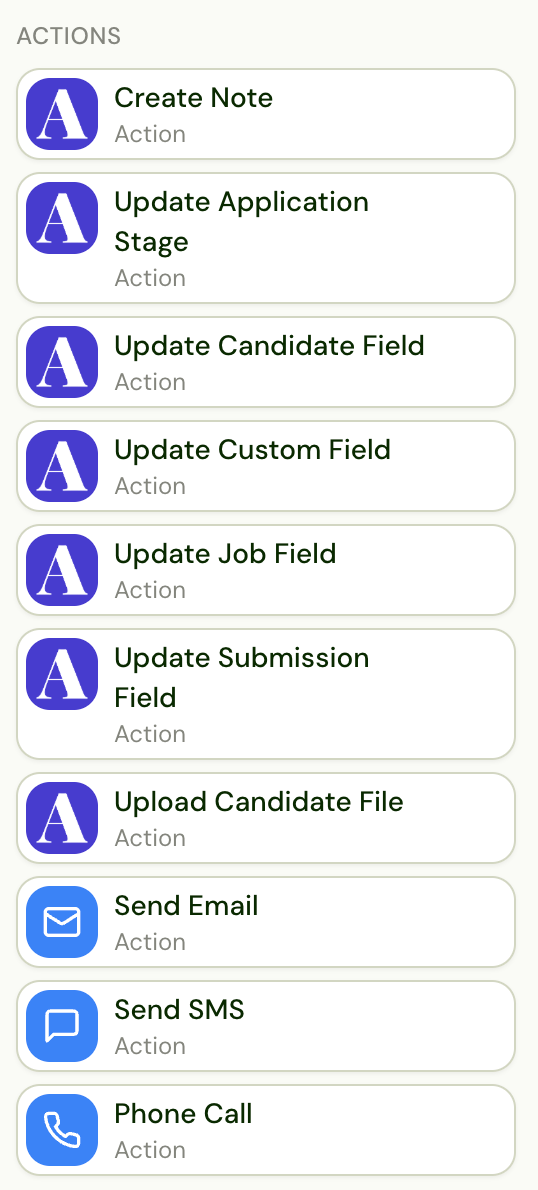
Communication Actions
ATS Sync Actions
These actions write data back to your ATS. The specific fields and options available depend on your ATS integration.Job Workflow Actions
Live Transfer
The Live Transfer block hands a candidate to a recruiter while Alex is still on the phone with them. Use it in a Candidate Requested Human block, so it runs when a candidate asks to talk to a person. Alex rings the recruiter’s number, tells them who is on the line (the briefing), and connects the call only when the recruiter presses 1. If the recruiter doesn’t answer or doesn’t accept, the candidate stays with Alex and the workflow takes the Not connected path; a connected transfer takes Connected. Steps on Not connected run after the call ends, and not at all if the candidate went on to finish the interview.- The briefing. You choose what Alex says to the recruiter, and can use variables such as the candidate’s name, the job title, and the company. Write it the way Alex would say it to them: depending on your setup, Alex reads it out or works it into a conversation with the recruiter. It is read in English and capped at 300 characters. “Press 1 to take the call.” is always added at the end.
- Filters run on the call. Filters placed before Live Transfer run while the candidate is on the line, so they can’t use anything that only exists once the interview is finished, such as the score. Don’t put a Wait before Live Transfer: the candidate won’t hold for it.
- Live transferred. After a transfer, the interview still finishes and is evaluated on what was said. In the Interview Completed block, Is can branch on Live transferred (Yes/No), for example to write back to your ATS differently for a candidate a recruiter already spoke to.
- Two write-backs. If you write to your ATS both in the requested-human block and in the Interview Completed block, a transferred candidate gets both writes. Branch on Live transferred to avoid the duplicate.
Utilities
Utilities are special actions that control the flow of your workflow — adding conditional logic, delays, and round progression.Flow Control
Conditional Logic
Initiate Outreach Groups
The Initiate Outreach group is a container that wraps a round’s outreach sequence — the emails, SMS, calls, and waits Alex runs to reach the candidate. Place any ATS updates, notifications, conditions, or Move to Round steps before the Initiate Outreach group; the outreach steps live inside it. The group’s behavior follows the round type:- AI interview round — the outreach invites the candidate to the AI interview.
- Human round — the outreach sends a scheduling link and hands the candidate off to the assigned recruiter or hiring manager. Requires the Coordinator add-on — see Coordinator.
ATS-Specific Components
Some triggers and actions are only available with certain ATS integrations. You’ll recognize them by the ATS logo displayed on the component. These provide deeper integration with your specific ATS, such as:- ATS-specific triggers (e.g., candidate moved to a specific stage)
- ATS-specific field updates
- ATS-specific file upload options