

Interviewer Persona
Personalize the AI interviewer to create a more branded and engaging experience for candidates.Customize AI Interviewer Name, Picture, Voice, and Personality
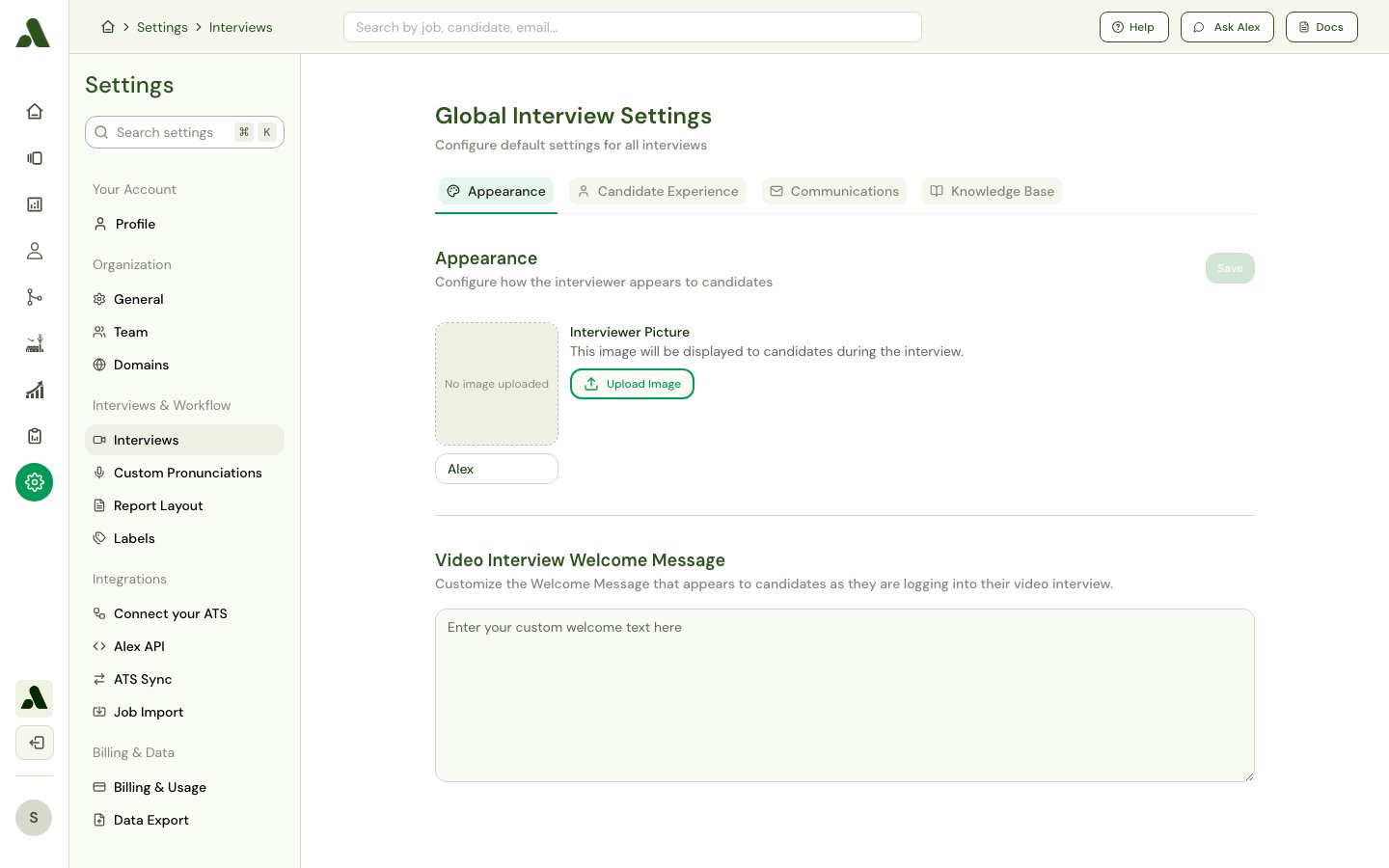
- Interviewer Name: Set the name displayed for the AI interviewer. The default name is “Alex”.
- Interviewer Picture: Upload a picture that will represent the AI interviewer during video interviews.
- Interviewer Voice: Choose the voice for the AI interviewer from a selection of different languages, genders, and accents. You can play a sample of each voice to hear what it sounds like before making your selection.
- Interview Personality: Choose between a Warm or Neutral personality. A warm interviewer uses content-anchored reactions that show active listening, while a neutral interviewer uses brief transitions with no evaluative language.
Candidate Experience
Fine-tune various settings to shape the interview journey for your candidates, ensuring a smooth and clear process.Configure Welcome Messages and Grace Periods
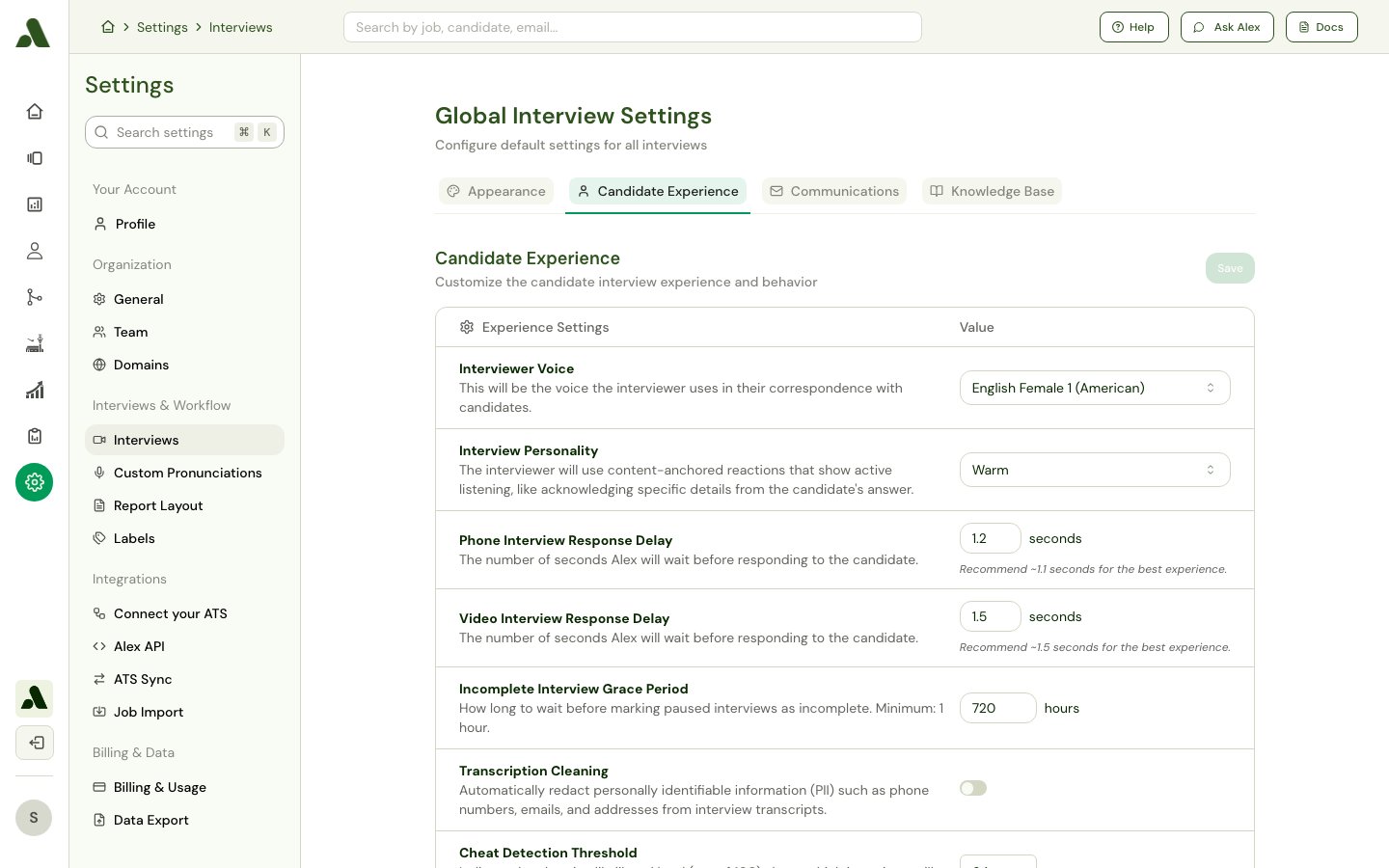
- Video Interview Welcome Message: Customize the greeting message that candidates see when they begin a video interview.
- Incomplete Interview Grace Period: Define how long candidates have to complete an interview after they have started it. After this time, any paused interviews will be marked as incomplete. This period is set in hours, with a minimum of 1 hour.
Administrative Controls
Manage your team’s access and permissions to maintain security and control over your account.Manage Team Members, Roles, and Permissions
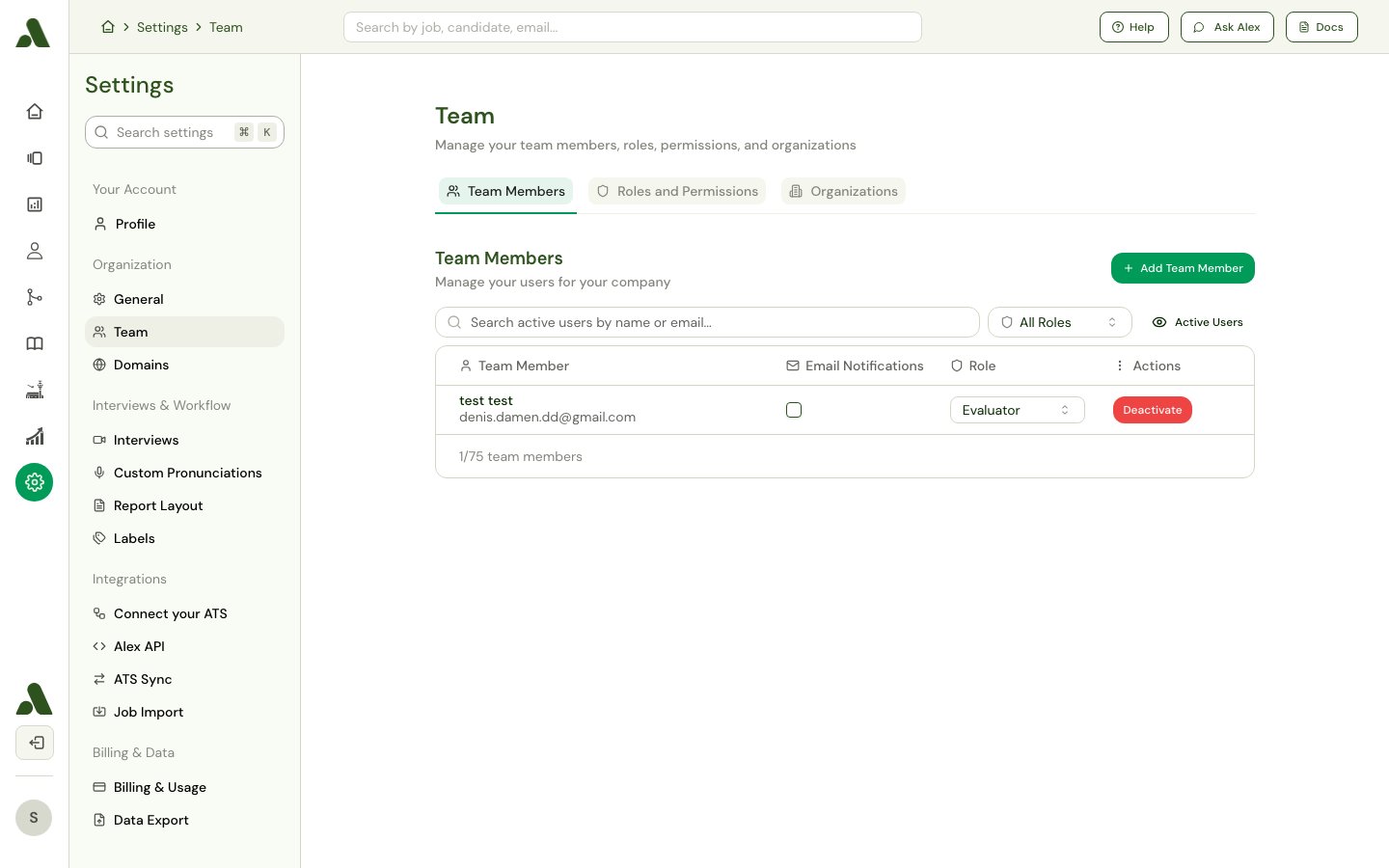
- Team Members: Add or remove team members from your organization.
- Roles and Permissions: Configure user roles and set permission levels to control what team members can access and modify within the platform.