

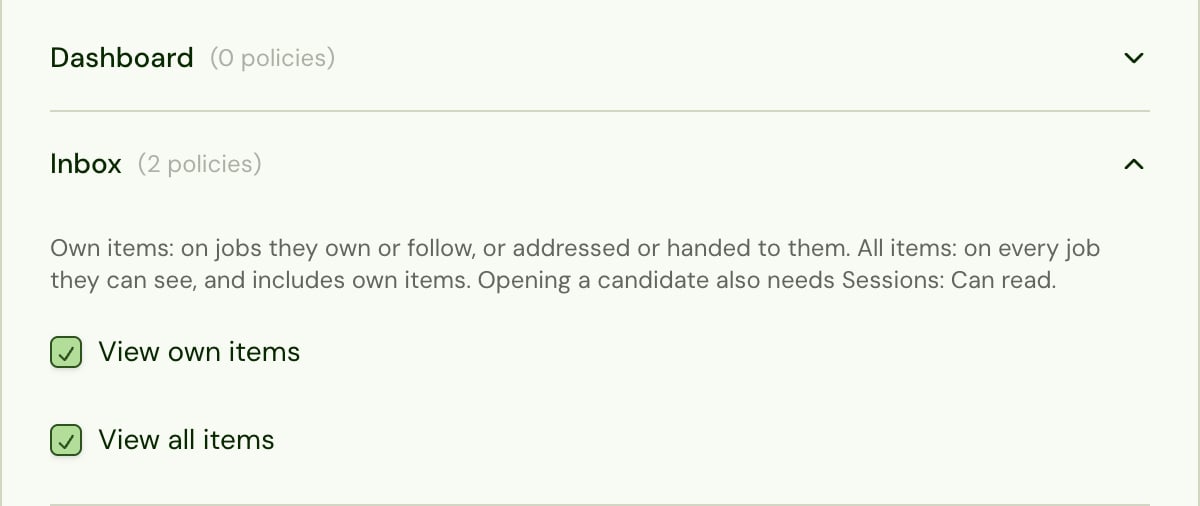
Defaults
- Only the Admin role has the Inbox by default, both permissions included. The built-in Recruiter and Evaluator roles don’t.
- Built-in roles can’t be edited. To give recruiters the Inbox, create a custom role with the access they need plus Inbox: View own items, and assign it to them. Add View all items for people who should see everyone’s items, such as a team lead.
- Ticking View all items ticks View own items too, and unticking View own items unticks both.
What else they need
- Opening candidates needs Sessions: Can read. Give it to anyone with the Inbox.
- Deciding from the Inbox needs Decisions: Can set, and resuming Alex from Mark complete needs Sessions: Can edit.
- People only see candidates on jobs their role can read. A role limited to some jobs (for example by label) sees only those jobs’ items, whether they own or follow them or the item is assigned to them.
Who can be assigned
- An item can be assigned only to people who can use the Inbox and can see the candidate’s job. Teammates without Inbox: View own items, or whose role doesn’t reach that job, aren’t in the Assign list, and a save that includes anyone else is refused.
- Assigning someone never gives them a job their role can’t read. The Assign list offers only people whose role reaches the item’s job. If someone later loses access to that job, the item leaves their Inbox.
- Anyone who can work an item can change who it’s assigned to, themselves included, while it’s open for everyone.
- A Reply needed item is assigned to whoever sent the candidate the last message before theirs only when they can work the item. If they can’t, or Alex sent that message, it isn’t assigned to anyone, and it still shows in My jobs for everyone on the job.
Settings → Inbox
Settings → Inbox has two tabs:- Company, where the company’s item types are managed, is for admins only (anyone with Global Settings: Can manage). Admins see it whether or not the Inbox has been made available to them. Inbox permissions don’t give access to it. See Set up the Inbox.
- My Preferences, where each person chooses what shows in their own Inbox, is for anyone with Inbox: View own items who has the Inbox. See Choose what shows in your Inbox.